 Doilies Make the Difference – Video

 Lace Paper Doilies
Celebrations Ideas, Geographics Stationery
How to Make a Restaurant Menu at Home: Paper, Layout, and Printing Tips
A good restaurant menu does more than list dishes and prices. It gives customers a first impression of your food, your style, and the experience they’re about to enjoy. Think about a cozy neighborhood bistro with warm lighting, wooden tables, and a beautifully printed menu. Even before the food arrives, those small details make the place feel special.
The interesting part? You don’t need a professional designer or an expensive printing service to create that experience. Whether you own a family restaurant, a café, a bakery, or a small catering business, you can design and print attractive menus right at home or in your office.
With the right paper, a little creativity, and some practical printing tips, you can create menus that look professional while giving you the freedom to update them whenever your business needs to.
Start With the Personality of Your Restaurant
Before opening Canva or Microsoft Word, take a moment to think about your restaurant’s atmosphere. Is it modern and minimalist, warm and traditional, or casual and colorful? Your menu should feel like a natural extension of the space.
A rustic Italian restaurant might look wonderful with warm paper tones and classic typography, while a contemporary coffee shop may prefer a clean layout with simple lettering. A bakery could use soft colors and charming headings to complement its homemade pastries and fresh coffee.
You don’t need complicated graphics or elaborate decorations. In many cases, a well-organized menu with beautiful paper and carefully chosen fonts looks more inviting than an overcrowded design.
Try to picture your finished menu resting on one of your tables. Does it belong there? Does it reflect the kind of experience you want customers to remember? Those questions will guide your design more effectively than following every new trend.
Choosing the Right Paper for Your Menu
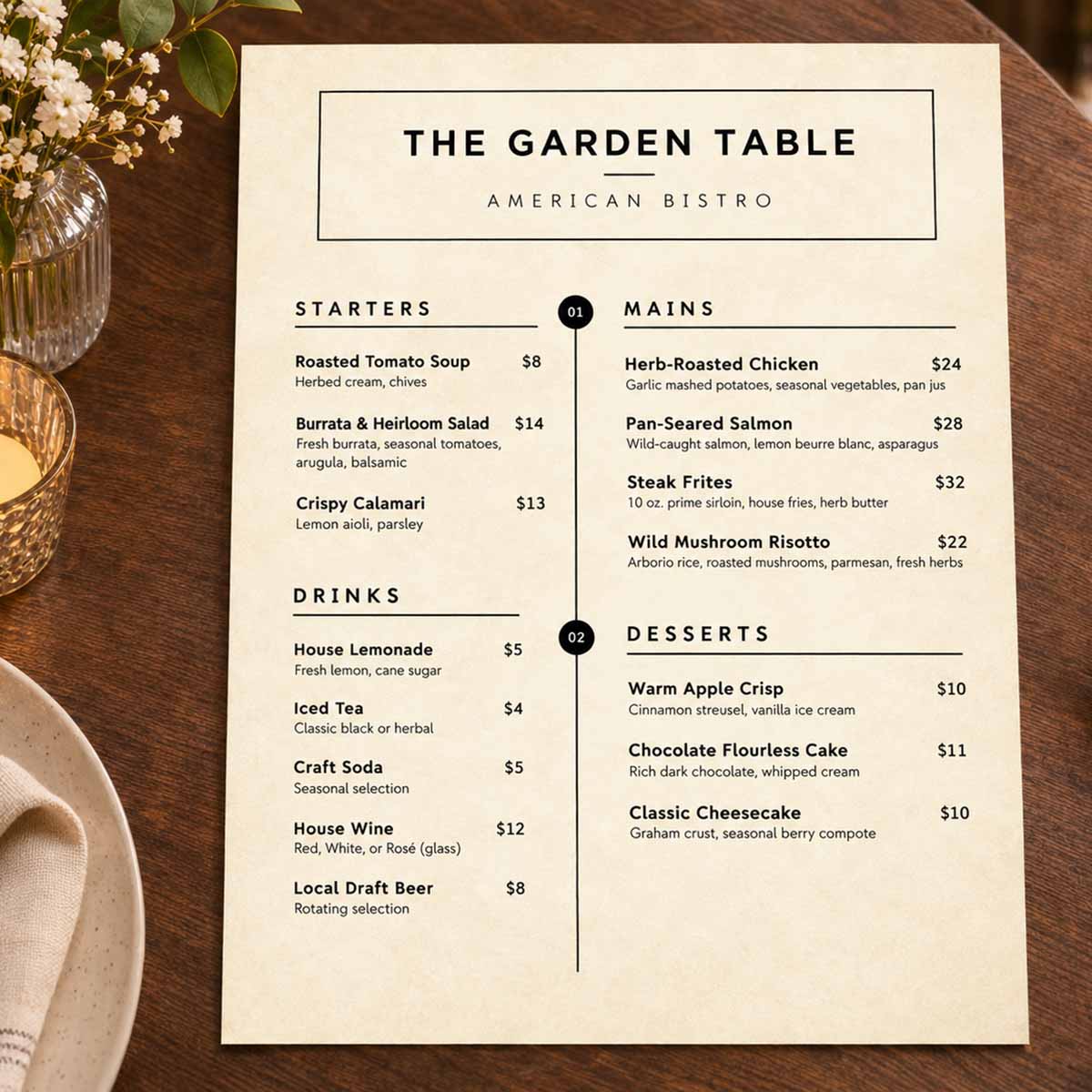
Paper is easy to overlook, but it can make a surprising difference in how a menu looks and feels. The same design printed on bright white copy paper and warm parchment-style stationery can create two very different impressions.
For restaurants that want a traditional, elegant, or rustic appearance, parchment-style paper is an attractive option. Its subtle decorative finish adds character without requiring a complicated background design.
Imagine a small Italian bistro preparing a special dinner menu. The owner chooses a classic font, adds the restaurant’s name, and lists a few carefully selected dishes. Printed on parchment-style paper, the result feels warm, inviting, and thoughtfully prepared.
For this type of project, Geographics® Parchment Stationery Specialty Paper, 8.5″ x 11″, 50-Pack from The Royal Store offers a decorative starting point. Because you’re working with printable stationery rather than a predesigned restaurant menu, you have the freedom to choose your own wording, fonts, and layout.
If your restaurant has a more contemporary style, smooth ivory paper can create a clean, understated look. It’s especially suitable for simple menus where readable typography and food descriptions take center stage.
The most important thing is choosing paper that complements your restaurant rather than competing with its personality.
How to Design a Menu That’s Easy to Read
A beautiful menu should also be practical. Customers shouldn’t have to search through crowded text to find a dish or struggle to understand what’s included in their order.
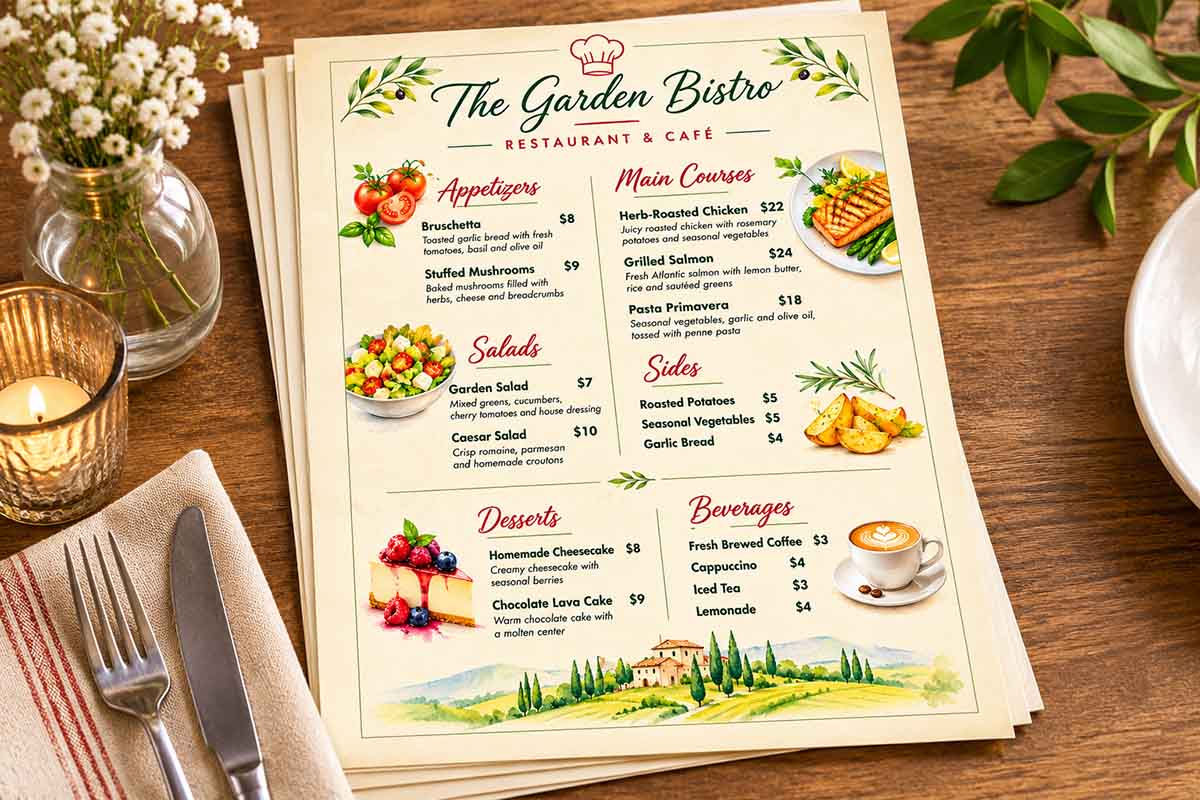
Start by organizing your food into familiar categories such as appetizers, main courses, sides, desserts, and beverages. If your restaurant has seasonal specials or signature dishes, give them a clearly defined place on the page.
When writing descriptions, focus on what makes each dish appealing. Instead of simply writing “Roasted Chicken,” you might describe it as “Herb-roasted chicken served with rosemary potatoes and seasonal vegetables.” It’s informative without becoming unnecessarily elaborate.
Typography matters, too. Decorative fonts may work beautifully for the restaurant’s name, but food descriptions should be comfortable to read. Avoid using too many font styles, and leave enough space between sections so the page doesn’t feel crowded.
You can also add a little personality. A family restaurant might include a short message about its history, while a café could mention locally roasted coffee or a favorite house recipe. These small details can make a menu feel more personal without distracting from the food.
And remember, not every dish needs a photograph. Sometimes, a simple layout with thoughtful descriptions creates a more appealing presentation than a page filled with images.
Printing Your Restaurant Menu at Home
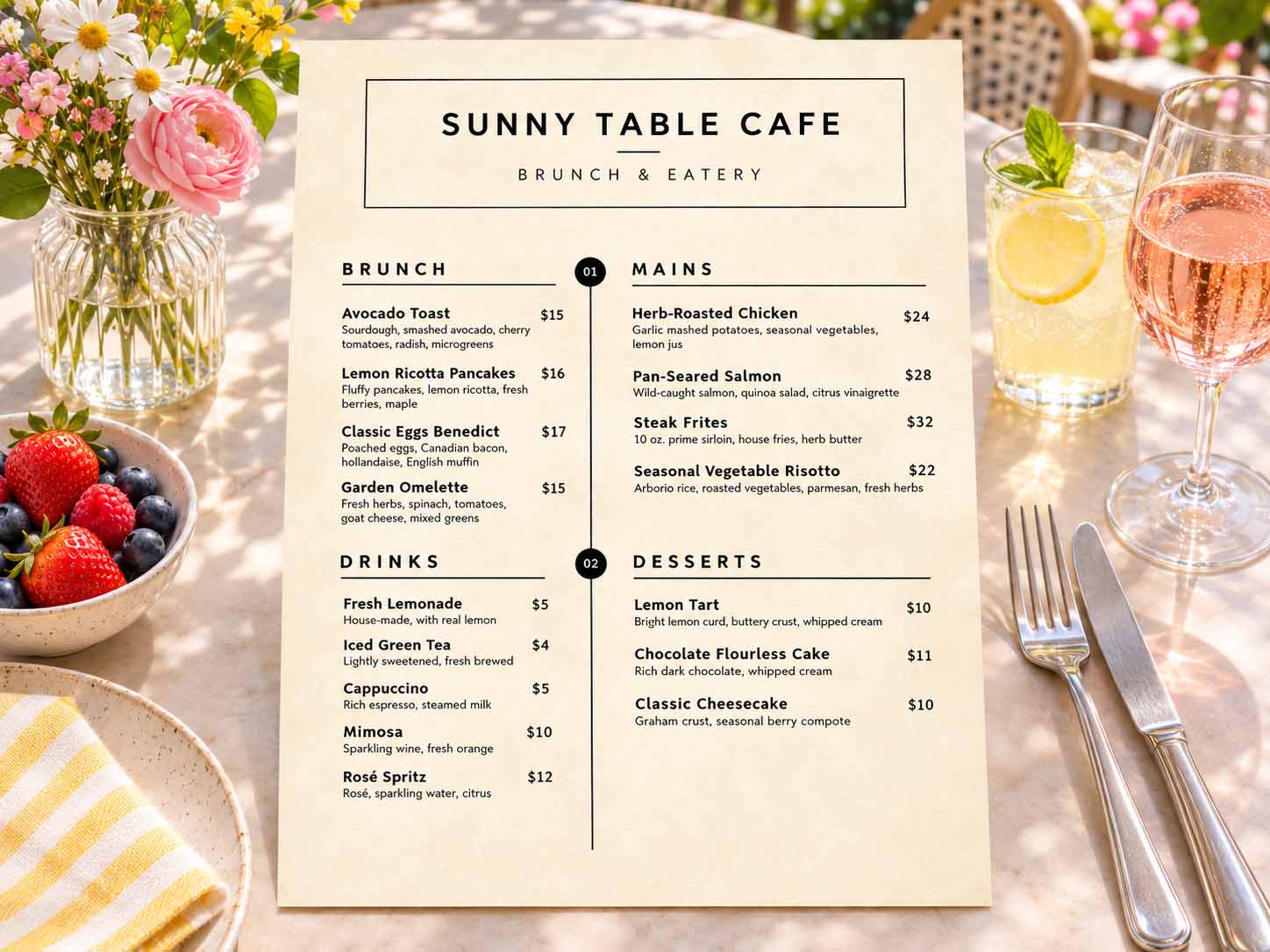
Once your design is ready, printing it is relatively straightforward. Programs such as Canva, Microsoft Word, and Google Docs allow you to create customized menus without specialized design experience.
Start with a US Letter document measuring 8.5″ x 11″, a convenient size for most American home and office printers. Keep important text away from the edges, since many printers require margins and cannot print borderless pages.
Before printing multiple copies, always run a test. Check the colors, text size, spacing, and overall appearance. A design that looks perfect on your screen may need small adjustments once it’s on paper.
It’s also worth checking your printer’s recommended settings for the paper you’re using. Different printers handle paper weights and finishes differently, so selecting an appropriate paper type can help produce better results.
Once you’ve printed a sample, place it on an actual restaurant table and look at it from a customer’s perspective. Is the text easy to read under your dining room lighting? Are the prices clear? Does the paper suit the atmosphere?
A few minutes of testing can save wasted paper and help you create a more polished final result.
Why Printing Your Own Menus Can Be Good for Business
Restaurant menus rarely stay the same forever. Ingredient prices change, seasonal dishes come and go, and sometimes a new recipe becomes so popular that it deserves a permanent place on the menu.
For small restaurants, being able to make those changes without placing a new professional printing order can be genuinely useful.
A café might update its lunch specials every week, while a bakery could introduce seasonal pastries or limited-time drinks. A catering business may need a different menu for every private event. Creating your own designs allows you to make adjustments quickly and print only the copies you need.
For restaurants that print menus regularly, Geographics® Ivory Premium Business Letterhead, 24 lb, 8.5″ x 11″, 250-Pack is another option worth considering. Its smooth ivory appearance works well with simple designs, and the larger pack is convenient when menus need frequent updates.
Of course, ordinary printable stationery isn’t waterproof. For menus that will be handled repeatedly, consider using protective covers or sleeves. For daily specials, limited-time offers, and private events, freshly printed paper menus may be all you need.
Make Your Menus Part of Special Occasions
Once you have a menu design you like, it can become a useful template for much more than everyday dining.
A restaurant could create a special menu for Valentine’s Day or Thanksgiving, while a café might prepare a separate weekend brunch selection. Private dinners, wedding rehearsal dinners, anniversary celebrations, and corporate events are also opportunities to create something personal.
Imagine a small wedding dinner where each guest finds a printed menu featuring the couple’s names and the date. Or a family restaurant celebrating its anniversary with a menu that includes a short story about how the business began.
These details don’t require complicated designs or expensive materials, but they can add warmth to an occasion.
The ability to personalize menus is one of the nicest advantages of making them yourself. You can try different styles, update the text, and create something appropriate for each event.
A Little Creativity Goes a Long Way
Creating your own restaurant menu isn’t about competing with professional designers. It’s about having the freedom to present your food in a way that feels authentic to your business.
A thoughtful layout, easy-to-read descriptions, and the right paper can help create something attractive without unnecessary expense or complexity. Whether you’re preparing a permanent menu, introducing new dishes, or planning a special dinner, the process can be simpler than you might expect.
At The Royal Store, you’ll find specialty paper and printable stationery that can help bring those ideas to life.
After all, your restaurant already has its own personality, recipes, and story. Your menu is simply another way to share them with the people who walk through your door.
Make It Your Own With iClicknPrint®
Want to add a personal touch to your restaurant menu? With iClicknPrint®, you can customize your design right from your computer. Add your restaurant’s name, logo, menu items, and prices, choose fonts and colors, and create a layout that reflects your style.
Once you’re happy with your design, simply download the PDF and print it on your favorite Geographics® stationery paper.
Whether you’re preparing everyday menus, weekend brunch specials, or menus for a special event, iClicknPrint® makes it easy to design, personalize, and print your own creations.
Your restaurant. Your menu. Your personal touch.
You may also like

Royal Consumer Products®
Powder Blue Handmade Letterhead, 8.5″x11″, 15/pack, 10 packs/case by Geographics®

Royal Consumer Products®
Gold Flowers Design Paper, Gold Foil, 8.5″x11″, 40/pack, 24 packs/case by Geographics®

Royal Consumer Products®
Parchment Stationery Paper, Parchment Specialty Paper, 8.5″x11″, 50/PK by Geographics®
Frequently Asked Questions
Can I print my own restaurant menus at home?
Yes! You can create and print professional-looking restaurant menus using a regular inkjet or laser printer and compatible stationery paper. Design your menu with your restaurant's name, dishes, prices, and favorite colors, then print as many copies as you need. It's especially convenient for small restaurants, cafés, and businesses that frequently update their menus.
What is the best paper for printing restaurant menus?
The best paper depends on your restaurant's style and how the menus will be used. Parchment-style paper creates a warm, classic appearance that's lovely for bistros and special dinners, while smooth ivory paper offers a clean, elegant look for cafés and everyday menus. For frequently handled menus, consider protective sleeves to keep the paper looking fresh.
How can I make a restaurant menu look professional without hiring a designer?
Keep the layout simple, use readable fonts, organize dishes into clear sections, and avoid overcrowding the page. Choose paper that complements your restaurant's atmosphere and add a few personal details, such as your logo or colorful food illustrations. Tools like iClicknPrint® can also help you personalize printable designs without advanced graphic design skills.
Is it cheaper to print restaurant menus yourself?
Printing menus in-house can be more economical, particularly when you need small quantities or frequently change prices and specials. You avoid placing a new professional printing order for every update. However, your actual savings depend on paper, ink or toner costs, printer maintenance, and the number of menus you need.
Can I use the same restaurant menu design for special events?
Absolutely! Once you've created a menu you like, you can adapt it for weekend brunches, seasonal specials, holiday dinners, weddings, and private events. Simply update the dishes, prices, colors, or event details and print a fresh version. It's an easy way to give every occasion a personal touch without starting your design from scratch.
